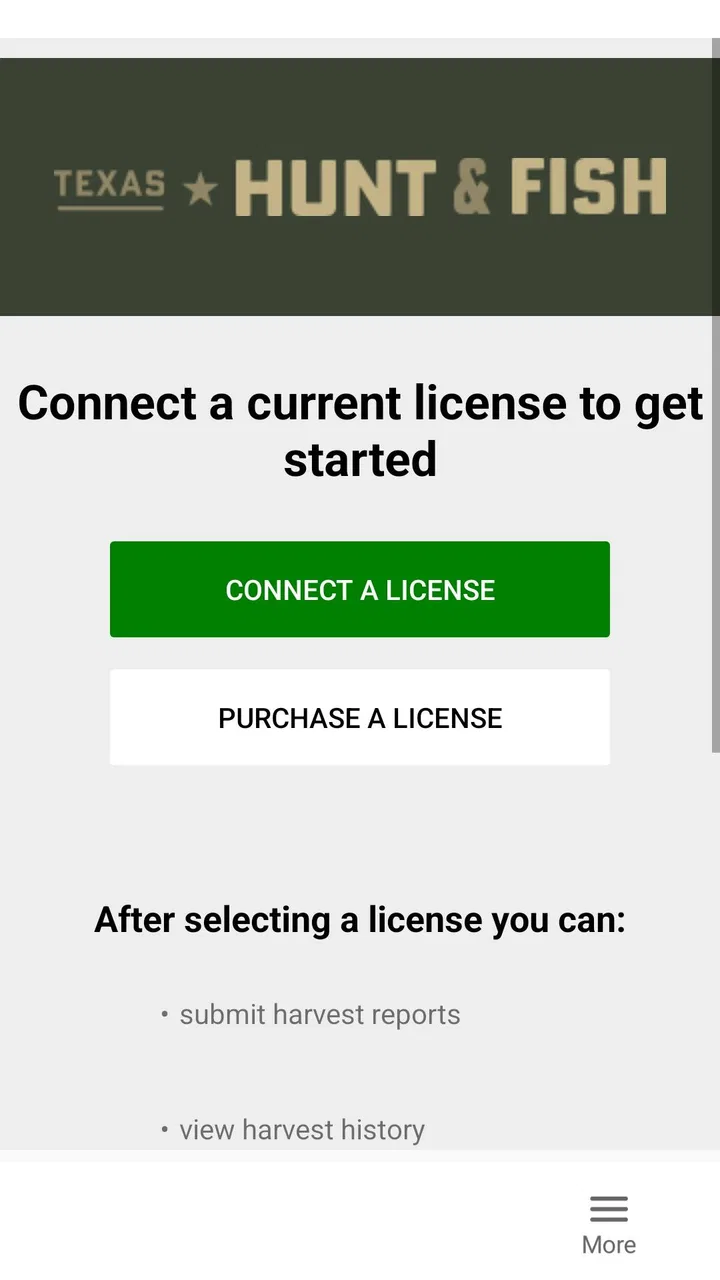
Texas Hunt & Fish
- 2.9
- Rating
- 100.00K
- Installs
- Free
- Price

 Analysis by App-foxy
When I head outdoors in Texas, the useful part of a hunting app is not flashy presentation; it is reducing the amount of paperwork and uncertainty that follows a successful trip. Texas Hunt & Fish is built around that practical need. Developed by the Texas Parks and Wildlife Department, this free sports app lets hunters report harvested game in real time, and that focused purpose makes it quite different from a general outdoor companion.
I approached it as a tool for the moment after a harvest rather than as a complete hunting planner. That distinction matters. It is not the kind of app I would choose for maps, weather, equipment advice, or a social feed. Its value comes from handling a specific state-related task while the details are still fresh. For a Texas hunter who wants an official digital route instead of relying on memory, that narrow focus can be worthwhile.
How Texas Hunt & Fish fits into a real hunting day
The most realistic use case is simple: I finish a hunt, secure the animal, and use my phone before leaving the property or heading home. Rather than waiting until later and trying to reconstruct the details, I can treat the app as the final step in the field routine. That is the strongest idea behind real-time harvest reporting: complete the administrative task while the relevant information is immediately available.
You May Also Like

 Blood Strike: 2.5 Anniversary
Blood Strike’s Loadouts Turn Every Drop Into a Tactical Gamble
A close look at Blood Strike’s custom loadouts: how fast access to signature weapons reshapes its battle royale rhythm, rewards preparation, and narrows the gap between fights.

 Pandora - Music & Podcasts
Pandora’s Music Is Easy to Start, but Harder to Recover
Pandora’s strength is its low-effort path from a seed to a station. Its weak spot is how much confidence it asks you to place in connection, setup, and quiet recovery.

 8 Ball Pool
 Is Built on Rivalries, Rematches, and Routine
A close look at the rivalries, rematches, shared routines, and unanswered safety questions that turn a quick pool match into a persistent mobile community.

 Samsung Music
’s Quiet Strength Is Playing What You Already Own
Its reach comes less from spectacle than from dependable access to a personal library. That simplicity is both the app’s strongest retention engine and its ceiling.

 AccuWeather: Weather Radar
AccuWeather Review: A Quick, Clear Forecast for Everyday Decisions
For everyday plans, the best forecast is the one you can understand quickly. AccuWeather makes rain timing, radar, and local conditions easy to act on, with a few trade-offs.

 Hill Climb Racing
Why Hill Climb Racing Still Turns Crashes Into One More Run
A tiny car, a bumpy hill and one more upgrade: Hill Climb Racing keeps resurfacing because its simple chaos makes every near-miss feel personal.
More From Our News Desk
View All News


In practice, I would prepare before the trip by making sure the app is already installed and that I know how I intend to use it. The worst time to discover that I need to sign in, check a license detail, or find a stable connection is after a long day outdoors. A quick pre-trip check turns the app from something I remember under pressure into part of my normal gear checklist.
That preparation also reveals the app’s proper role. It supports reporting; it does not replace responsible field identification, knowledge of Texas hunting rules, or careful record keeping. I would still keep any required physical documents and follow current regulations. The app can make reporting more convenient, but it should not be treated as the only source of guidance for a complicated situation.
The interface is best judged by how little attention it demands at the end of a tiring day. A reporting tool should make the sequence understandable, keep the number of decisions manageable, and make it obvious when the process is complete. I found that the focused purpose helps, but the experience still depends on the condition of the phone, the available connection, and my readiness to enter accurate information.
One useful habit is to complete the report before changing locations. If I move from a hunting area to a roadside stop or a place with weaker reception, I create an avoidable complication. Reporting promptly also reduces the chance that I confuse one outing with another. This is a small workflow improvement, but it is more valuable than any cosmetic feature in an app with such a specific job.
What the current release tells me
The current version is 4.1.2, which suggests this is an established utility rather than a brand-new experiment. It first appeared on April 22, 2014, so the product has had time to become part of the digital landscape for Texas outdoor users. I would not interpret its age as proof that every modern expectation is covered, but it does explain why the app feels like a focused government service rather than a newly designed lifestyle product.
The developer is the Texas Parks and Wildlife Department, and that official connection is central to the app’s appeal. When I am reporting a harvest, an official state tool feels more appropriate than an unrelated third-party tracker that happens to offer a form. The trade-off is that official utility apps often prioritize the required transaction over visual polish or broad personalization. Here, that trade-off is understandable.
The app has reached over one hundred thousand installs, while its average rating is 2.9 from roughly two hundred ratings. I read that combination as a reason to keep expectations realistic. There is clearly a meaningful audience, but the rating does not suggest a universally smooth experience. For me, that means testing the workflow before relying on it during a time-sensitive trip rather than assuming that the app will behave perfectly in every circumstance.
Its age rating is Everyone, and the app is free. Those details make it easy to recommend as a low-cost trial for eligible Texas users, especially because there is no purchase decision standing between a hunter and the reporting function. The minimum operating system is Android 8.0, so anyone using an older phone should check compatibility before planning around it.
The version history is especially relevant for existing users. A current release number indicates that the application has continued beyond its original launch, but a version label alone does not tell me that every part of the experience has been redesigned. I would expect the main reporting purpose to remain familiar, while smaller changes may affect stability, device support, or the way screens behave. Updating before a trip is sensible, but I would still avoid making the first test in the field.
Where the official focus helps
The clearest strength is trust of purpose. I am not opening a general hunting community app and wondering whether its reporting feature is merely an optional add-on. This application exists around Texas harvest reporting, so the central action is easy to understand. That focus can be more useful than a long feature list when I need to complete one important task quickly.
It also creates a cleaner division between preparation and reporting. I can use other tools for route planning, forecasts, navigation, or species research, then use this app for the state-specific administrative step. In my experience, that is a better arrangement than forcing one application to do everything. Specialized tools are often easier to trust because I know exactly what job each one is meant to perform.
Another advantage is the timing. Entering information immediately can improve accuracy compared with waiting until the evening. I am more likely to remember the circumstances of the harvest, the relevant location context, and the sequence of events while I am still present. This does not make careless entries impossible, but it gives me a better chance of submitting a complete and consistent report.
A less obvious benefit is that the app can act as a personal prompt. Hunting days are busy, and the administrative requirement may be easy to postpone when the group is packing equipment or preparing the animal for transport. By making the report part of the departure routine, I reduce the mental load of remembering it later. I would recommend telling everyone in a group who is responsible for the report so the task is not duplicated or forgotten.
Where it falls short compared with broader alternatives
Compared with a full hunting companion, Texas Hunt & Fish is intentionally narrow. A broader alternative may combine maps, weather forecasts, waypoints, field notes, gear lists, and trip planning in one place. That can be better for someone who wants a single dashboard throughout the day. I would choose the broader option for planning and navigation, then keep this app for the official reporting task.
The limitation is not simply the number of features. It is the lack of a larger personal workflow around the hunt. If I want to review a season in a rich journal, attach detailed observations, or organize multiple properties, a dedicated notes or outdoor-tracking tool may be more satisfying. Texas Hunt & Fish should not be judged as a replacement for those products because its purpose is more specific.
The modest rating also makes me cautious about relying on it without preparation. A government app can be important even when its interface is not especially refined, but importance raises the cost of friction. A confusing screen, an interrupted session, or a connection problem matters more when I am trying to meet a reporting obligation than when I am casually browsing trail ideas.
For that reason, I would not delete every backup method. I would keep the relevant information available in another lawful form and make a note of the time and place if I am concerned about losing track of details. That is not a criticism of the app’s purpose; it is sensible risk management for any field-dependent digital process.
Practical habits that make it more dependable
My first tip is to open the app before leaving home, not merely to check that it launches but to confirm that I can reach the reporting workflow. This catches compatibility or account problems while I still have time to solve them. It also makes the actual field interaction feel familiar instead of experimental.
My second tip is to keep the phone usable in outdoor conditions. A low battery, wet screen, gloves, glare, or poor reception can turn a short report into a frustrating delay. I would carry a charged phone and avoid waiting until the last possible moment. The app cannot compensate for a device that is already struggling.
My third tip is to separate observation from assumption. If a form asks for details about the harvest, I would slow down enough to verify each entry before submitting. The speed advantage of real-time reporting disappears if I have to correct an avoidable mistake later. A quick review at the end is a better trade-off than rushing through the screens.
A fourth useful workflow is for shared trips. Before the hunt begins, the group can agree on who will handle each report and when. That prevents two people from assuming the other has completed the task. It also means the person with the strongest phone connection or the most familiarity with the app can take responsibility, while everyone else concentrates on the practical work around the harvest.
Finally, I would not confuse an apparent submission with personal certainty. I look for whatever completion indication the app provides and keep my own brief note until I am satisfied that the process finished. This is especially sensible when the connection is unstable. The goal is not to create unnecessary paperwork; it is to avoid discovering later that I stopped one step short.
Who should use it, and who should skip it
I would recommend it to Texas hunters who want an official, free way to report harvested game promptly and who are comfortable using a phone for a focused administrative task. It is particularly suitable for people who dislike carrying extra paper instructions, tend to postpone reporting, or want a repeatable end-of-hunt routine.
It is also a reasonable choice for occasional hunters. Because the app is not asking me to maintain a large digital hunting profile, I can approach it as a practical tool for the moments when I need it. The free price lowers the barrier to trying it, and the Everyone rating means the product is presented for a broad audience rather than a specialized technical group.
I would skip it as my main hunting app if I expect detailed maps, offline route planning, weather intelligence, equipment management, or a rich social experience. Those needs call for different tools. I would also be cautious if my phone runs an older operating system, if I regularly hunt in places where connectivity is unreliable, or if I am unwilling to test the reporting flow before depending on it.
For a new Texas hunter, the app should complement learning rather than replace it. I would still read the current rules, understand the reporting responsibility, and ask an experienced person about any situation I do not understand. The application is useful precisely because it handles a defined part of the process; it is not a substitute for knowing the process itself.
What existing users can reasonably expect
People who have used earlier releases will probably appreciate continuity in the central idea: the app remains a direct channel for real-time harvest reporting. The move to version 4.1.2 shows ongoing maintenance, but I would judge the update by practical behavior rather than by the version number. Does it open reliably on the device? Can I move through the report without confusion? Does it leave me confident that the task is finished?
Those are more meaningful questions than whether the app looks like a newly launched consumer product. Existing users should update before a planned trip, then run a quick test while connected to a dependable network. If the new version changes the layout or sign-in experience, discovering that at home is far less stressful than discovering it outdoors.
I would also avoid assuming that an update automatically solves every field condition. Software improvements can help with compatibility and stability, but they cannot create a signal where none exists or make an aging phone behave like a new one. The best result comes from combining the current release with a sensible personal routine.
What I would watch in future updates
The most valuable future improvements would be the ones that reduce uncertainty at the exact moment of reporting. Clearer progress feedback, an unmistakable completion state, and graceful handling of interrupted connections would matter more to me than decorative redesign. In a focused utility, confidence is a feature.
I would also watch how the app keeps pace with current Android devices while remaining usable on supported older phones. Since the application has been around since 2014, maintaining a dependable experience across changing hardware is an ongoing challenge. The current minimum of Android 8.0 gives it a defined compatibility floor, but real-world usefulness still depends on how well the interface behaves across different screen sizes and phone conditions.
Another area worth watching is the balance between official simplicity and helpful context. The app should remain quick enough for a field report, yet small additions that prevent common mistakes could make it more valuable. The best evolution would guide me without turning a short submission into a long questionnaire.
My overall view is positive but measured. Texas Hunt & Fish is not a complete outdoor platform, and its average rating of 2.9 tells me I should approach it with preparation rather than blind confidence. Still, its official purpose, free access, and focused reporting workflow give it a clear place in a Texas hunter’s phone.
My recommendation is to use it as one dependable part of the hunting routine, not as the entire routine. Install it before the trip, test the path while connected, keep your phone ready, review every entry, and maintain a sensible backup for your own records. If your main need is timely Texas harvest reporting, Texas Hunt & Fish is worth trying. If you want navigation, planning, or a full hunting journal, pair it with a tool designed for those jobs instead.
FAQs for Texas Hunt & Fish
01What is Texas Hunt & Fish?
Texas Hunt & Fish is a mobile app designed to help outdoor enthusiasts access information related to hunting and fishing in Texas. It can provide useful resources such as regulations, season details, license information, wildlife guidance, and other planning tools. Before relying on the app during a trip, users should confirm that the information is current and check official Texas authorities for the latest legal requirements.
02Can Texas Hunt & Fish help me understand Texas hunting and fishing regulations?
The app is intended to make Texas hunting and fishing rules easier to review while planning an outing. Depending on the available sections and updates, users may find information about seasons, bag limits, permitted methods, licenses, and regional requirements. However, regulations can change, and local restrictions may apply, so the official Texas Parks and Wildlife Department website or current printed regulations should remain the final source.
03Do I need an internet connection to use Texas Hunt & Fish?
Some features of Texas Hunt & Fish may require an active internet connection, especially content that is updated regularly, location-based information, account services, or external links. Certain pages may remain accessible after loading, but users should not assume that every tool works offline. If you are traveling to remote hunting or fishing areas, review essential information in advance and save any important details before leaving coverage.
04Is Texas Hunt & Fish suitable for beginners?
Texas Hunt & Fish can be useful for beginners because it brings important outdoor information together in a format that is generally easier to consult than multiple web pages or documents. New hunters and anglers can use it as a starting point for learning about licenses, seasons, safety, and responsible recreation. Nevertheless, the app does not replace hands-on instruction, official regulations, or guidance from experienced local outdoorspeople.
05Is Texas Hunt & Fish free to download, and is it available for Android or iPhone?
Availability and pricing can depend on the current version and the store listing for your device. Users should check Google Play for Android phones and the Apple App Store for iPhone or iPad to confirm whether Texas Hunt & Fish is free, whether it includes optional purchases, and which operating-system versions are supported. Reviewing the developer name, permissions, update date, and privacy information before installation is also recommended.
Pros
- Detailed maps help plan hunting and fishing trips.
- Useful species information supports better preparation.
- Offline access is helpful in remote outdoor locations.
- Clean interface makes permits and regulations easy to find.
- Trip planning tools can save time before heading outdoors.
Cons
- Some features may require a paid subscription.
- Coverage and accuracy can vary by region.
- The app may use significant battery during navigation.
- Frequent updates are needed for changing regulations.
- Beginners may find the amount of information overwhelming.

Texas Hunt & Fish
Gallery